How to choose billing software for your shop: 10 things to check before you pay
By the BillSakha team ·
Ten practical tests to run with your own products before you pay for billing software: GST bills, counter speed, offline use, stock, credit, data export and real cost.
Changing billing software later is painful: your products, customers and credit balances all live inside it, and your staff have learned its screens. So it is worth an hour of testing before you pay. Most software looks good in a demo. These ten checks show how it will behave on a busy day in your own shop.
Before you start: test with your own work
Take the free trial if there is one, and leave the sample data aside. Add 20 of your real products, including the odd ones: loose items, items with sizes, items with expiry dates. Then make the bills you make every day. Most of the checks below take only a few minutes each.
1. Are its GST bills correct?
Make one bill to a customer in your state and one to another state. The first should show CGST and SGST, the second IGST. Check that each product carries its own HSN code and GST rate, and that adding a new rate is easy, because rates do change. Compare the bill with what a tax invoice or bill of supply must show, and show a sample to your accountant.
2. Is it fast at the counter?
Time yourself making a bill of ten items, with a scanner if you use one. Then try the rush-hour case: start a bill, put it on hold, serve the next customer, and bring the first bill back. If this feels slow with nobody waiting, it will feel much slower with a queue.
3. What happens when the internet drops?
Do not just ask whether it works offline. Turn your internet off and make a bill. Then turn it back on and check that the bill reached your reports and that the stock came down. Also ask which screens work offline: often it is only billing.
4. Does stock work the way your trade works?
Generic stock screens are where many shops get stuck, so test what your trade needs:
Medical and grocery: batches, expiry dates and expiry reports.
Clothing and footwear: size and colour variants, and barcode labels for each.
Mobile and electronics: IMEI and serial numbers, warranty and repairs.
Wholesale: different price levels for different customers.
Sell an item and check that the stock falls straight away. Then add a purchase and check that it rises.
5. Can it handle customer credit (udhaar)?
If you sell on credit, this may matter more than anything else. Make a credit bill, take a part payment, and look at the customer's ledger. The running balance should be correct and clear enough to show the customer. Also check that you can see at a glance who owes you money.
6. Can you control what staff see and do?
Create a login for a cashier. Can you stop them from seeing your profit, changing prices or deleting bills? Check that each person has their own login, so you can tell who did what.
7. Does it work with your printer and devices?
Print a real bill on your own thermal or A4 printer, and scan a real barcode with your own scanner. Try it on the phone or computer you will actually use. Check how the bill looks when you send it to a customer on WhatsApp too.
8. Can you take your data out?
This is the check people forget. Export your products, customers and bills, and open the files. Then ask two direct questions: what happens to my data if I stop paying, and can I still read and export it afterwards? Software that keeps your data locked in makes it hard to ever leave.
9. Will support answer when you are stuck?
Send a real question during the trial, on the channel you would use, and see how long the answer takes and whether it solves the problem. Check the support hours against your shop's hours, and look for help articles or videos your staff can use on their own.
10. What will it really cost?
The monthly price is only the start. Check the limits on users, branches, products and bills on the plan you would buy, and what it costs when you grow past them. Ask whether features you need are charged as add-ons, what the renewal price is, and whether your card is charged automatically when the trial ends.
A simple way to choose billing software
Mark the checks that matter most in your trade, and try no more than two or three products. Choose the one that passes those checks with your own products on your own printer, rather than the one with the longest feature list. The features you never use add nothing, while a slow counter screen costs you every day.
Where BillSakha fits
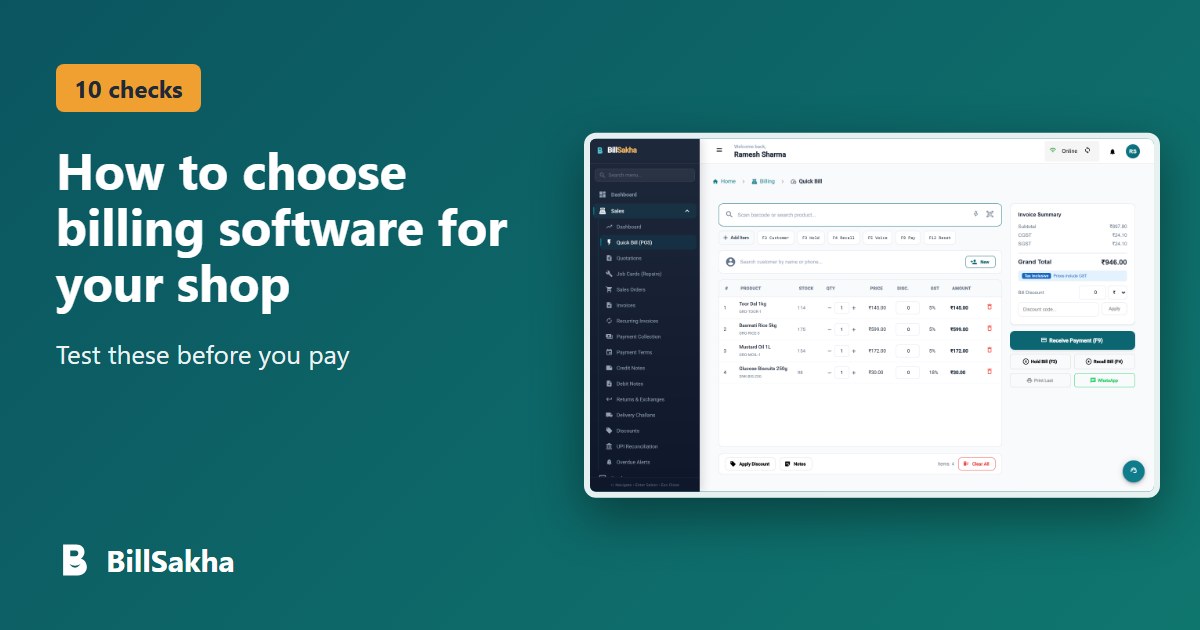
We make BillSakha, so test it as hard as any other. It covers GST billing, Quick Bill with barcode scanning, hold and recall, stock with batches, expiry dates, variants and IMEI numbers, customer credit, staff roles and data export. Quick Bill keeps working when the internet drops and syncs when it is back.
It also helps to know its limits. BillSakha is new, so you will not find years of reviews yet. It runs in the browser, with no separate store app, and its screens are in English. If those matter to you, you will see them for yourself in the trial.
Every feature is free for 14 days with no card, and if you do not choose a plan you are not charged: your shop becomes read-only and you can still see and export your data. See the features and plans, or start the trial and run these checks with your own products.
Questions and answers
How long does it take to test billing software properly?
About an hour for one product, if you add 20 of your real products and make the bills you make every day. Add a little longer if you need to test a scanner, a thermal printer or staff logins.
Should I choose online or installed billing software?
Online software runs in a browser, works across devices and branches, and needs no installing or backups on your side, but check how it behaves when the internet drops. Installed software runs on one computer, so ask how you would back it up and reach it from another device. Run the same offline and data export tests on either type.
Is free billing software good enough for a shop?
It can be, if it passes the checks that matter in your trade. Look closely at the limits, at what happens to your data, and at how support works, since these are where free plans often differ from paid ones.
Can I move to other billing software later?
Yes, if you can export your products, customers and bills, and the new software can import them. Test the export before you commit, and keep a copy of your old data when you move.
Tags: billing software, gst billing, retail, wholesale, shop management