Billing software or Excel for GST bills?
By the BillSakha team ·
Excel or billing software for GST bills: what a tax invoice must show under Rule 46, where a sheet works, where it breaks, and how to move across.
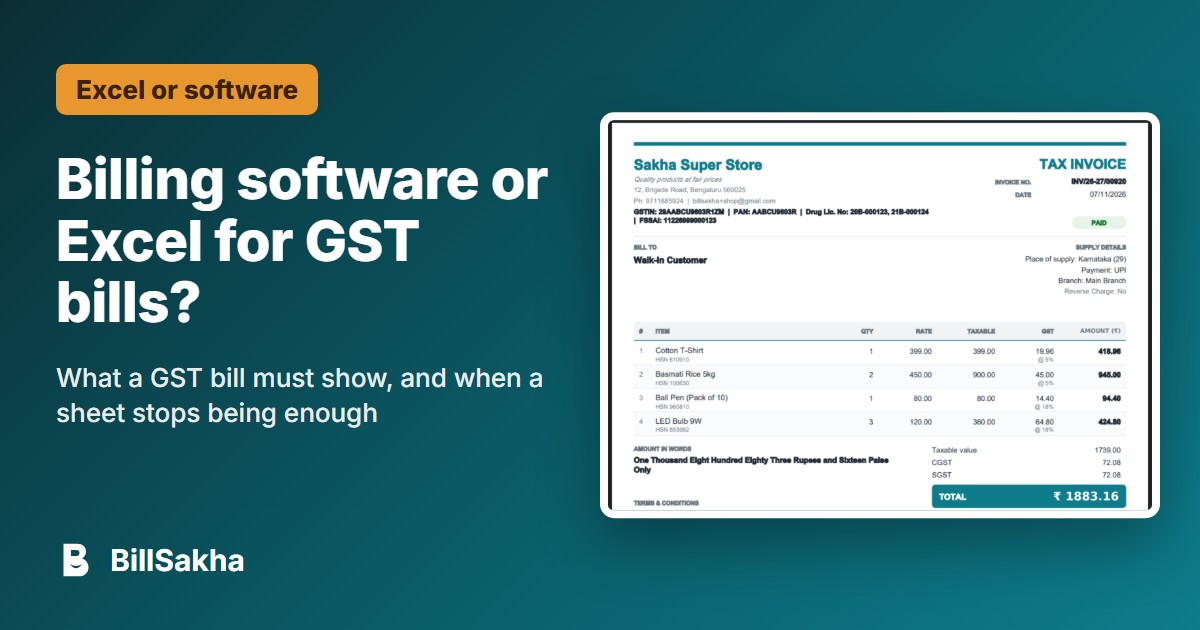
Many shops start their GST bills in Excel or a ready-made template, and for a few bills a day that can work well. The trouble starts as the bills, the staff and the stock grow. Here is a plain comparison: what the law asks a bill to show, where a sheet is enough, and where it starts to cost you.
What a GST tax invoice must show
Rule 46 of the CGST Rules lists what a tax invoice must contain. For a shop selling goods, the main points are:
Your name, address and GSTIN.
A consecutive serial number of up to 16 characters (letters, numbers, - and /), unique for the financial year.
The date of issue.
The buyer's name, address and GSTIN if they are registered.
For a buyer who is not registered, their name and address, the delivery address and the state with its code when the taxable value is ₹50,000 or more (or when they ask for it below that).
The HSN code, a description, the quantity and the unit of each item.
The taxable value after any discount, and the rate and amount of each tax (CGST and SGST, or IGST, and cess).
For a sale to another state, the place of supply with the state's name.
Whether tax is payable on reverse charge.
Your signature or digital signature. An invoice issued electronically under the IT Act does not need one.
This is a summary for a shop selling goods. The rule has more cases, such as exports and e-invoices: read the full text on the CBIC website, or ask your accountant.
A well-made Excel sheet can show all of this. The question is not whether it can, but whether every bill gets it right, every day, whoever makes it.
Where Excel is enough
A few bills a day, made by one person.
No stock to track, or stock you count by hand anyway.
Customers who pay at once, so there is no credit to follow.
An accountant who works out the month's GST from your sheet.
Where a sheet starts to break
Numbering. A copied file or a second computer repeats or skips bill numbers, and the rule asks for consecutive numbers unique for the year.
Tax on every line. One wrong formula or an old rate copied from last month spreads into every bill. When rates changed on 22 September 2025, every sheet needed its rates updated by hand.
Stock. A bill in Excel does not take the item off the shelf count, so stock is counted separately, or not at all.
Credit. Who owes what, from which bill, and what they paid last week, lives in another sheet or a notebook.
The monthly return. GSTR-1 needs your sales split by B2B and B2C and by rate, worked out by hand from many bills.
More than one person. Two people editing one file at once, or each keeping their own copy, leads to lost or doubled bills.
Losing the file. A laptop that breaks takes the bills with it, unless someone keeps backups.
What billing software does instead
Numbers every bill in order by itself, for the financial year.
Works out the tax on each line from the item's own HSN code and rate.
Takes each item out of stock as the bill is saved.
Keeps a running account for each customer who buys on credit.
Adds up the month's sales for GSTR-1 and GSTR-3B from the bills themselves.
Gives each person their own login, and keeps the bills off any one computer.
Moving from Excel
Put your items in one sheet: name, price, HSN code, GST rate, and opening stock if you track it.
Put your regular customers in another: name, phone, and GSTIN for businesses.
Start the new numbering from a clean point, ideally the first day of a month or of the financial year, so returns are easy to split.
Keep the old Excel file as it is: those bills remain your records.
BillSakha imports products and customers from Excel sheets on its bigger plans, or you can add them by hand or scan them in with a barcode scanner. If you would rather stay on Excel for now, the free GST bill template on our GST bill format page has the fields above laid out for you.
Tags: excel, gst invoice, billing software
Sources
- CBIC: CGST Rules, Rule 46 (tax invoice)
- PIB: Recommendations of the 56th GST Council (rate changes from 22 September 2025)