What is barcode billing software?
Barcode billing software adds an item to the bill when its barcode is scanned, with its price and GST, instead of someone typing it. It also prints barcode labels for items that come without one, so loose, home-made or repacked goods can be scanned too. The result is faster billing and fewer wrong prices at the counter.
How barcode billing works in BillSakha
- 1
Give each product a barcode
Scan the maker's barcode into the product once. Items without one, like loose or home-made goods, get a barcode from the Generate button.
- 2
Print labels
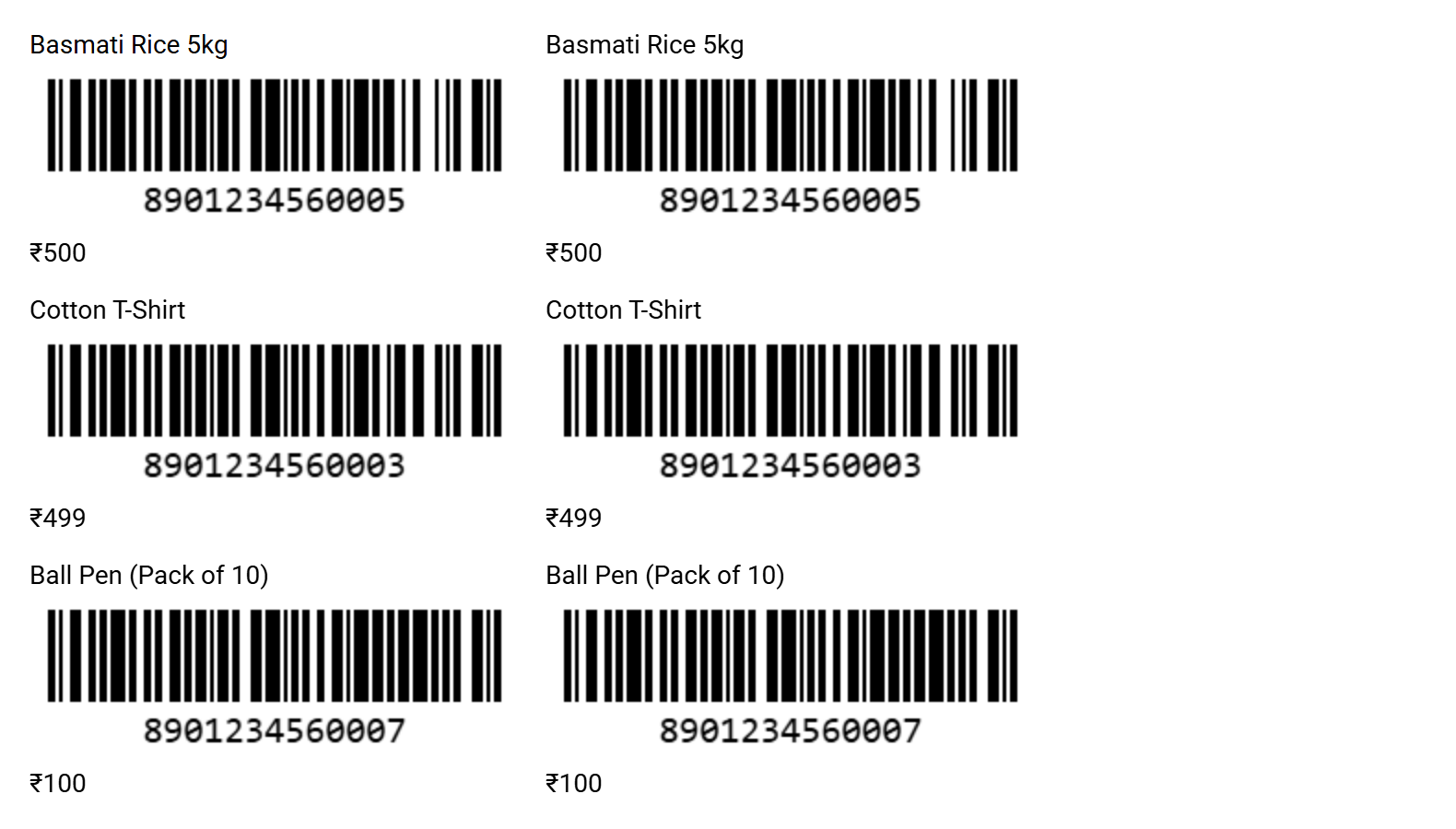
Choose products and copies, then print on an A4 sheet or a label roll (50×25, 40×30 or 65×38 mm). Each label shows the name, the barcode and the MRP.
- 3
Scan at the counter
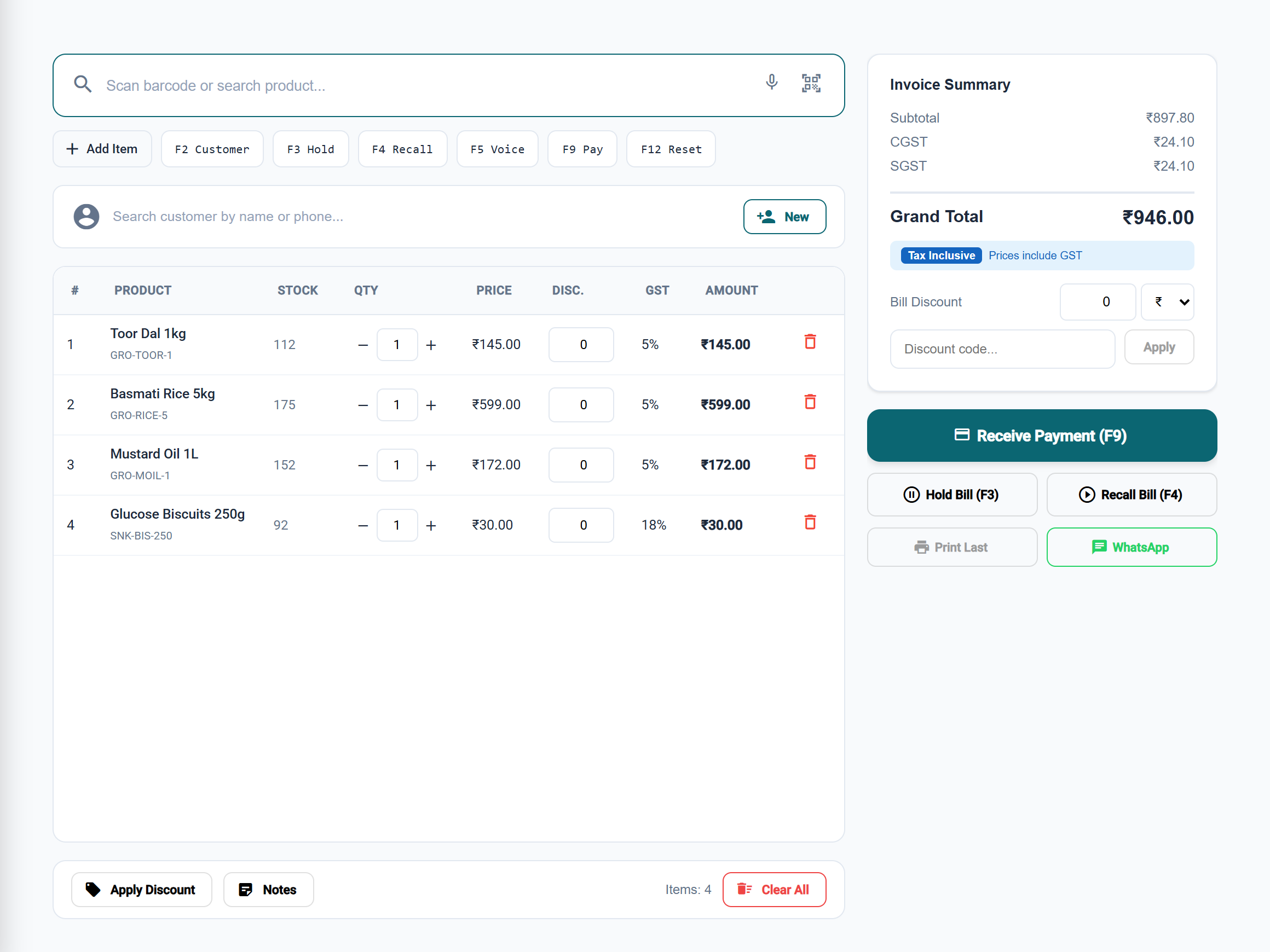
In Quick Bill, each scan adds the item; scan it again for one more. Take payment by cash, UPI or card and print or WhatsApp the bill.
See it in the app
Beyond one barcode per item
Every size and colour
Create all sizes in all colours at once, each with its own barcode, price and stock. A scan bills that exact size and colour.
Weighing-scale labels
Labels from a weighing scale carry the weight or price inside the barcode; Quick Bill reads them and bills the right quantity.
IMEI and serial numbers
Scan a phone's IMEI to sell that exact unit. The bill names it, and a search later shows who bought it.
Price tags
Print price tags as a PDF for shelves and items that do not need a barcode.
Keyboard at the counter
F2 picks the customer, F3 holds a bill, F4 recalls it, F9 takes payment and F12 starts a new bill.
When the internet drops
A bill made while offline is saved on the device and sent when the connection is back.
What you need
- A USB barcode scannerAny scanner that types the code like a keyboard works on a Windows or Mac computer: plug it in and scan into Quick Bill.
- Or just the phone's cameraTap the camera button in Quick Bill and hold each item up to it; it is added as it is read. Good for a few items; a scanner is faster at a busy counter.
- A Bluetooth scannerFor a phone or tablet at a busy counter: pair it like a keyboard and scan the same way.
- LabelsA label printer with 50×25, 40×30 or 65×38 mm rolls, or plain A4 label sheets on any printer.
Step-by-step guides
Questions
Do I need a barcode scanner?
No. You can scan with the phone's or laptop's camera. For speed at the counter, any USB or Bluetooth scanner that works like a keyboard will do; most store scanners do, and there is nothing to install for it.
Can I scan with my phone camera?
Yes. In Quick Bill, tap the camera button and hold each item's barcode up to the camera; it is added to the bill as it is read, with a beep. The same button on a product's Barcode field reads a packet's barcode into it. A USB or Bluetooth scanner is still quicker for a long bill.
Will it read the barcodes already printed on packets?
Yes. The scanner reads the code (EAN or UPC on most packets) and types it; scan it once into the product's Barcode field and every later scan bills that product.
What barcode does it print for my own items?
A Code 128 barcode, which every common scanner reads, with the product name and MRP on the label.
Is barcode billing in every BillSakha plan?
Yes. Generating barcodes, printing labels and scanning are in every plan, and in the free trial.