What is inventory management software?
Inventory management software keeps the count of every item in stock and updates it by itself: each sale takes items out and each purchase or return puts them back. It warns you before an item runs out, tracks batches and expiry dates, and shows which stock is not selling. It replaces the stock register and the physical count as the day-to-day record.
How stock works in BillSakha
- 1
Add your stock once
Give each product its opening stock when you add it, or add stock later under Inventory → Stock Entry. Units like kg and metre take decimals.
- 2
Every bill takes it out
Each bill reduces stock as it is saved, and a return puts it back, so the count stays right without a separate register.
- 3
Know before it runs out
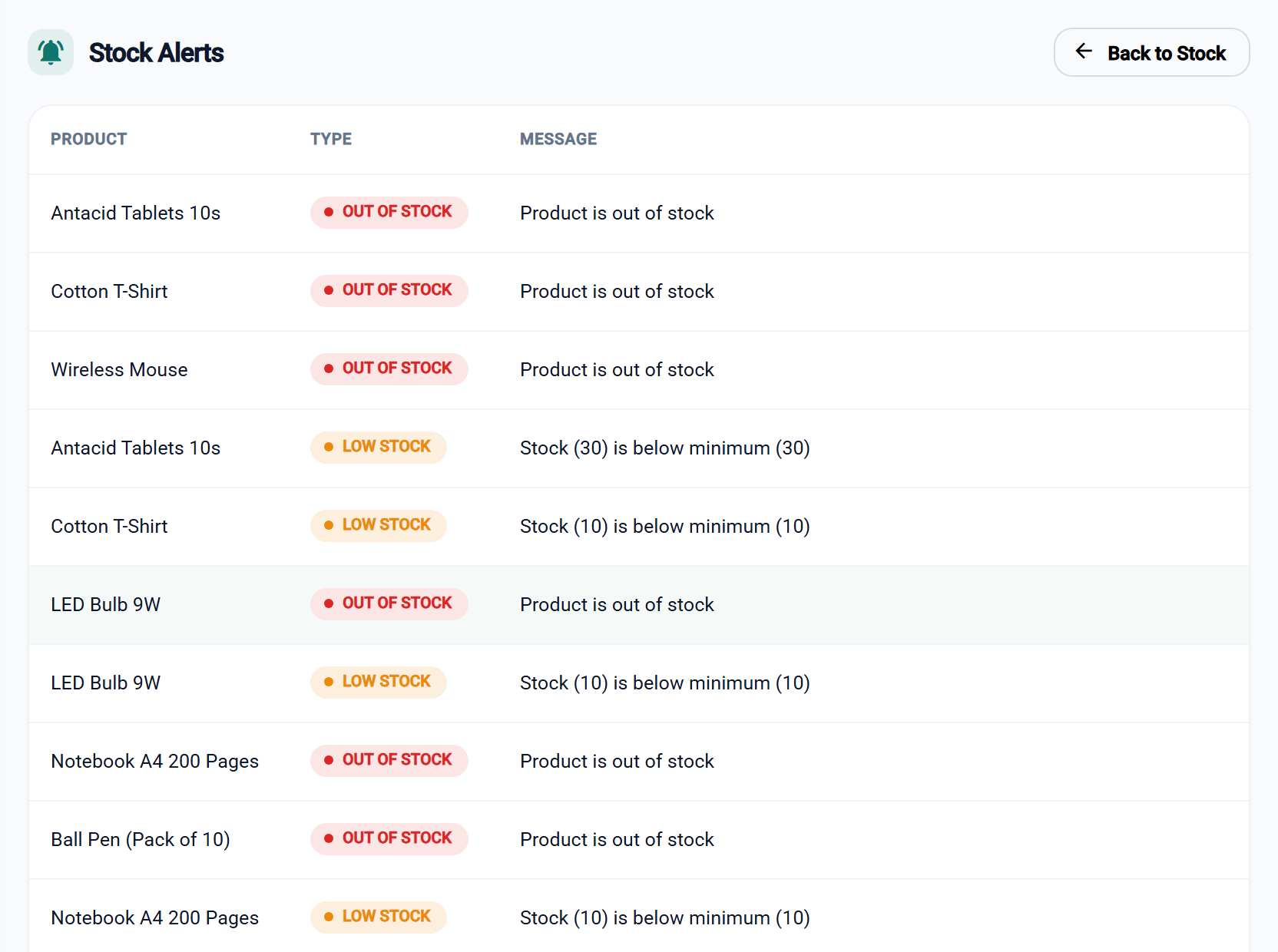
Set a minimum level for a product. Low Stock Alerts lists everything below it, and you are notified when an item drops under.
See it in the app
Stock the way your business keeps it
Batches and expiry
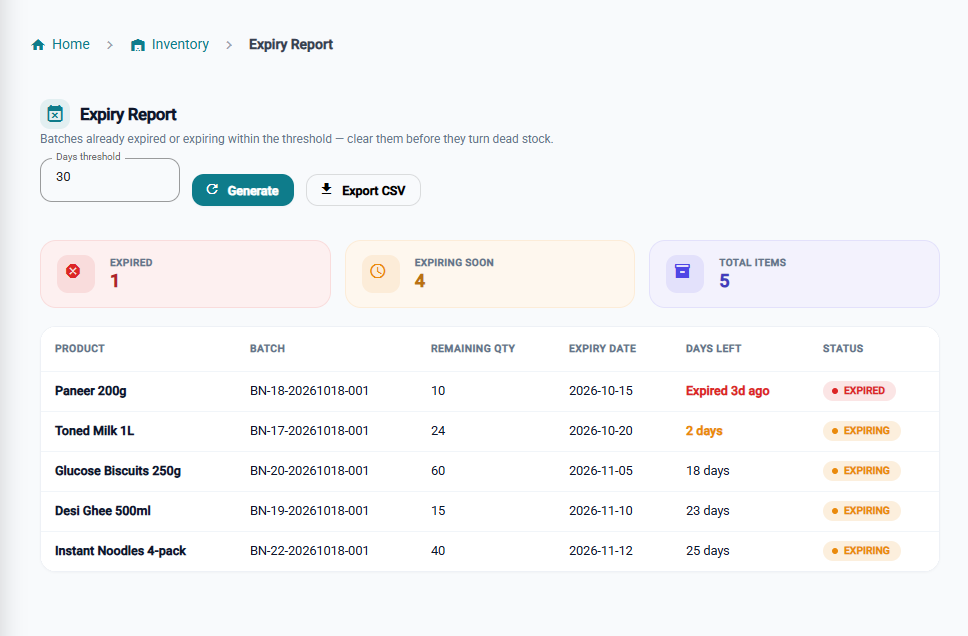
Record each lot with its batch number and expiry date. Sales take the batch that expires first, and the Expiry Report shows what to clear.
Loose and by the pack
Sell 0.5 kg or 2.5 m, and sell by the piece or by the box, bag or strip from one stock.
Stock adjustments
Correct stock after a physical count, damage or expiry with a recorded adjustment and its reason, instead of overwriting numbers.
Stock reports
Stock valuation, stock movement and a dead-stock report of items that have not sold, to see where your money sits.
Purchases and suppliers
Purchase orders, goods receipts and returns to suppliers bring stock in and send it back, with a running account for each supplier.
Not in every planBranches and transfers
Stock for each branch, and transfers between them that take stock out of one and into the other.
Not in every planStep-by-step guides
Questions
Does stock update by itself when I make a bill?
Yes. Saving a bill takes the items out of stock, and a return or a deleted bill puts them back.
Can I see which items are about to run out?
Yes. Set a minimum stock level on each product; Inventory → Low Stock Alerts lists everything below it, and you get a notification when an item drops under.
Does it track expiry dates?
Yes, by batch. Each batch keeps its expiry date, sales use the batch that expires first, and the Expiry Report lists batches close to or past expiry.
Can I add stock from a supplier's bill?
Yes. Plans with purchases let you record the supplier's bill as a goods receipt, which adds the stock. On every plan you can add stock directly under Inventory → Stock Entry.
Can I keep stock for more than one shop or godown?
Yes, with branches: each branch has its own stock, and Stock Transfer moves items between them. How many branches you get depends on your plan.