What is GST report software?
GST report software adds up your sales and the tax on them for the GST return, straight from the bills you made, so the figures for GSTR-1 and GSTR-3B are not worked out by hand. It splits sales by B2B and B2C, by tax rate and by HSN code, and takes returns and credit notes into account.
How GST reports work in BillSakha
- 1
Bill as usual
Each product carries its GST rate and HSN code, so every bill splits CGST, SGST or IGST correctly.
- 2
Pick the month
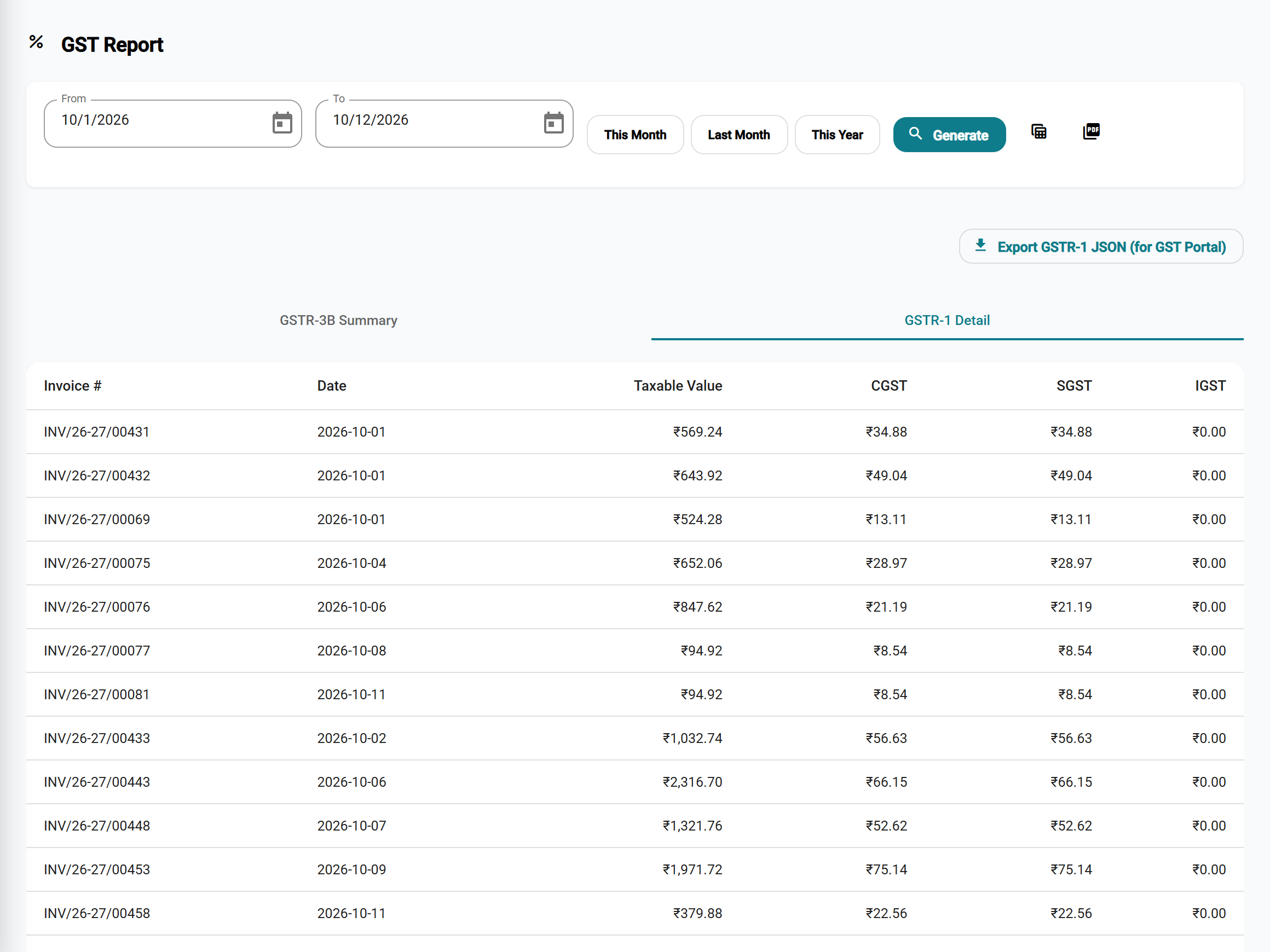
Reports → Tax Reports → GST Report, then choose the from and to dates.
- 3
Export
GSTR-1 (B2B and B2C) and the GSTR-3B summary, ready for your accountant or to fill in on the portal.
See it in the app
What the reports cover
CGST, SGST or IGST
Worked out from your state and the customer's place of supply, on every bill.
B2B and B2C
Bills to registered businesses carry their GSTIN and appear in the B2B part of GSTR-1.
Returns and credit notes
Returns and credit notes reduce the tax for the month, as they should.
E-invoice and E-Way Bill files
The government JSON file for each invoice, ready to upload on the portal.
Not in every planComposition and unregistered
A composition dealer issues bills of supply; a business not registered under GST bills without GST.
The app does not file your return or connect to the GST portal itself. You, or your accountant, upload or enter the figures on the portal.
Step-by-step guides
Questions
Does it file my GST return?
No. It prepares GSTR-1 and GSTR-3B from your bills and exports them; you or your accountant file the return on the GST portal.
Are returns and credit notes taken into account?
Yes. A return or credit note in the month lowers that month's tax.
Does it make e-invoices?
It makes the e-invoice JSON file for an invoice; you upload it on the e-invoice portal and enter the IRN it gives back. The same goes for E-Way Bills. These files come with the bigger plans.
Which GST rates does it use?
The rates in force since 22 September 2025 (0, 3, 5, 18 and 40%; tobacco and pan masala have been at 40% since 1 February 2026). Each product keeps its own rate, which you can change.
Are GST reports in every BillSakha plan?
Yes, GSTR-1 and GSTR-3B are in every plan. The HSN summary and e-invoice and E-Way Bill files come with the Business plan and above.