What is WhatsApp billing?
WhatsApp billing means sending the customer their bill on WhatsApp instead of, or as well as, a printed paper bill. The customer keeps a copy on their phone, can open it again later, and can pay from it; the shop saves paper and has a record of what was sent.
How WhatsApp billing works in BillSakha
- 1
Make the bill
In Quick Bill or as an invoice, with GST worked out on every line.
- 2
Tap WhatsApp
WhatsApp opens on your phone or computer with a short message, the amount due and a link to the bill. Check the number and send.
- 3
The customer opens the link
They see the bill, pay it by UPI with a QR or their UPI app, and download the PDF.
See it in the app
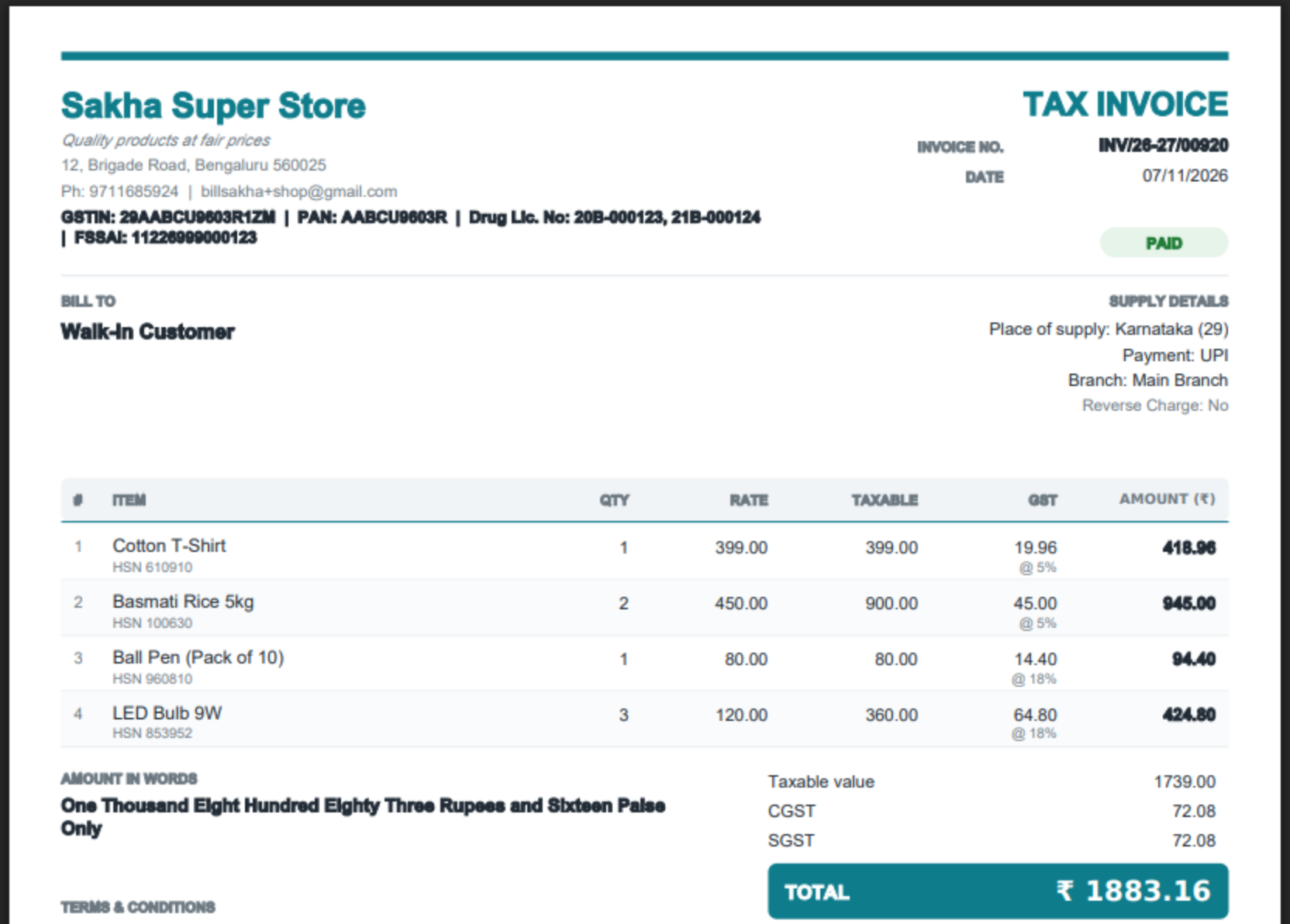
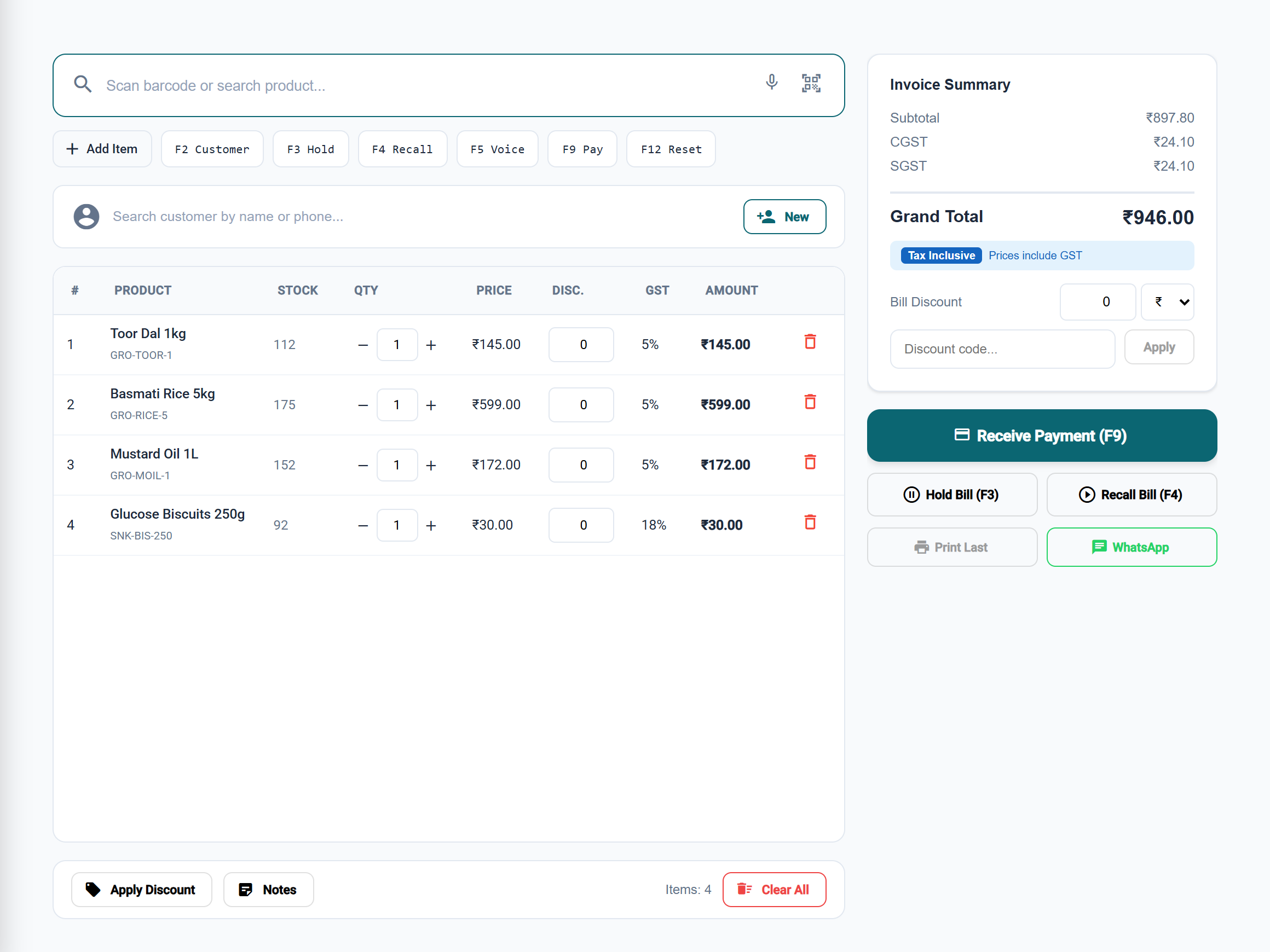
More than a photo of a bill
A link, not just a file
The link always shows the bill as it is now, with what is still due, so an old photo never confuses anyone.
Paid by UPI
Add your UPI ID once: every bill with money due carries a "Scan to pay" QR, on the link page and on paper.
Online payment, if you want it
Connect your own Razorpay account and customers can pay by card or net banking too; the bill is marked paid by itself.
Reminders
Send the bill again on WhatsApp for a gentle reminder, or a reminder email from the bill.
Print when you need to
A4 or thermal receipt, from the same bill, whenever a customer asks for paper.
Customers remembered
Save a regular customer once and their number is filled in next time.
Bills go from your own WhatsApp: you tap send. Sending bills automatically, without opening WhatsApp, is not switched on yet.
Step-by-step guides
Questions
Is the bill sent from my number?
Yes. The WhatsApp button opens your own WhatsApp with the message ready; you check the number and send it. Customers see the bill from the business they know.
What does the customer get?
A short message with the amount due and a link. The link opens the bill, a UPI QR and a button that opens their UPI app with the amount filled in, and the PDF.
Does the payment show on the bill by itself?
UPI payments go straight to your bank account, so you record them on the bill after checking. Online payments through your own Razorpay account are recorded on the bill by themselves.
Can bills be sent automatically?
Not yet. Automatic WhatsApp messages need an approved WhatsApp Business account, which is not switched on. Today you send each bill from your own WhatsApp with one tap.
Is WhatsApp sharing in every BillSakha plan?
Yes. Sharing bills on WhatsApp, the bill link and the UPI QR are in every plan, and in the free trial.